wifi sleep benefits: In our increasingly connected world, many of us leave our WiFi routers running 24/7 without a second thought. However, a growing body of evidence suggests that turning off your WiFi at night could significantly improve your sleep quality. This simple habit, which takes just seconds to implement, may help reduce electromagnetic field (EMF) exposure while you rest, potentially leading to deeper and more restorative sleep. Beyond the potential health benefits, this practice also offers additional advantages like energy savings and enhanced network security. As sleep issues continue to affect millions worldwide, this quiet habit might be worth incorporating into your nightly routine.
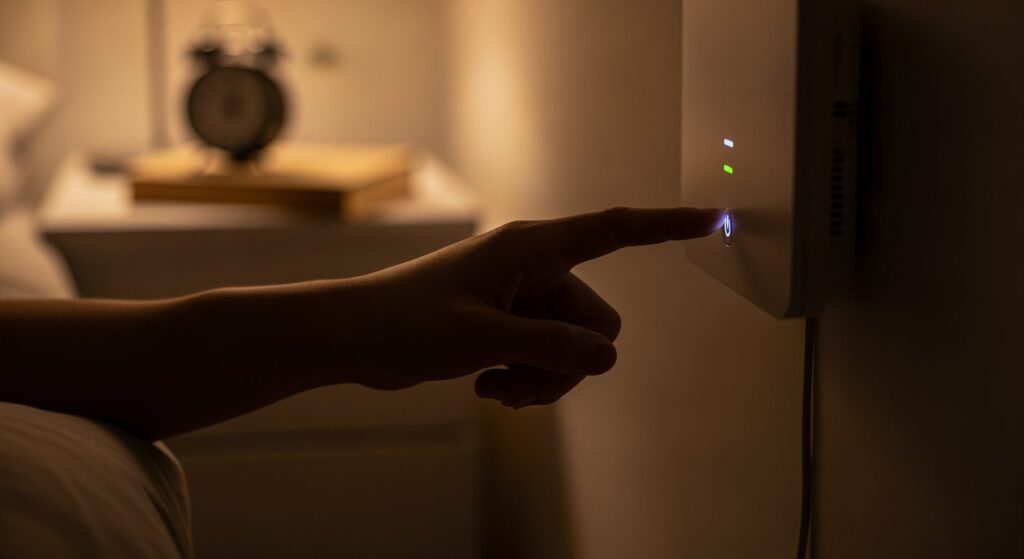
How WiFi Signals May Impact Your Sleep Quality
The relationship between WiFi signals and sleep quality centers around electromagnetic radiation emitted by wireless routers. While the scientific community continues to research the full extent of these effects, preliminary studies suggest that constant exposure to EMF radiation might interfere with our body’s natural sleep-wake cycle. The pineal gland, which produces melatonin (our sleep hormone), may be particularly sensitive to these electromagnetic fields. Some research indicates that nighttime EMF exposure could suppress melatonin production, making it more difficult to fall asleep and potentially reducing sleep quality throughout the night.

Benefits of Creating a WiFi-Free Bedroom Environment
Establishing a WiFi-free sleeping environment extends beyond potential health improvements. This practice creates a psychological boundary between your connected daytime activities and your restful nighttime routine. Many sleep experts recommend creating a technology-free sanctuary in the bedroom to signal to your brain that it’s time to wind down. Without the subtle background radiation and the temptation to check devices, your bedroom becomes truly dedicated to rest. Additionally, the absence of blinking router lights eliminates another source of sleep-disrupting light pollution.

| Benefit Category | Specific Advantage | How It Helps | Timeframe | Additional Notes |
|---|---|---|---|---|
| Sleep Quality | Reduced EMF Exposure | May improve melatonin production | Immediate | Most reported benefit |
| Energy Savings | Lower Electricity Usage | Reduces power consumption | Cumulative | Small but consistent savings |
| Security | Network Protection | Prevents nighttime hacking attempts | Immediate | Reduces vulnerability window |
| Device Longevity | Equipment Rest Period | Prevents overheating | Long-term | May extend router lifespan |
| Mental Wellbeing | Digital Detox | Creates technology boundaries | Gradual | Helps establish healthy habits |
Practical Ways to Implement WiFi-Free Nights in Your Home
Incorporating this habit into your nightly routine doesn’t have to be complicated. The simplest approach is to manually power off your router before bed and turn it back on in the morning. For those seeking more convenience, programmable outlet timers offer an automated solution, allowing your WiFi to shut down and restart at preset times without any effort on your part. Many modern routers also include built-in scheduling features accessible through their management interfaces, enabling you to set specific on/off times for each day of the week.
- Use your router’s built-in scheduling feature to automatically disable WiFi at bedtime
- Install a simple mechanical outlet timer to control router power
- Create a “WiFi off” step in your existing bedtime routine
- Switch devices to airplane mode before sleep if WiFi cannot be turned off
- Consider a smart plug with scheduling capabilities for remote control
- Establish a family protocol so everyone knows when connectivity will pause
- Keep a consistent schedule to help your body establish a rhythm
Addressing Common Concerns About Nighttime WiFi Disconnection
Many people hesitate to turn off their WiFi at night due to concerns about disrupting important services. However, most critical home systems that require internet connectivity typically use cellular backup systems rather than WiFi. For security systems, check whether yours relies on WiFi or has a cellular connection. Smart home devices generally resume normal operation when connectivity returns, though some may require reconfiguration. If you’re worried about missing important communications, remember that cellular networks remain functional for emergency calls and texts even when your home WiFi is disabled, providing a reliable safety net.
FAQs
Q: Will turning off WiFi save electricity?
A: Yes, noticeably over time

Q: Can WiFi signals affect sleep quality?
A: Possibly
Q: How quickly should sleep improve?
A: Results vary individually
Q: Will my devices reconnect automatically?
A: Most do

Q: Is airplane mode an alternative?
A: Partially